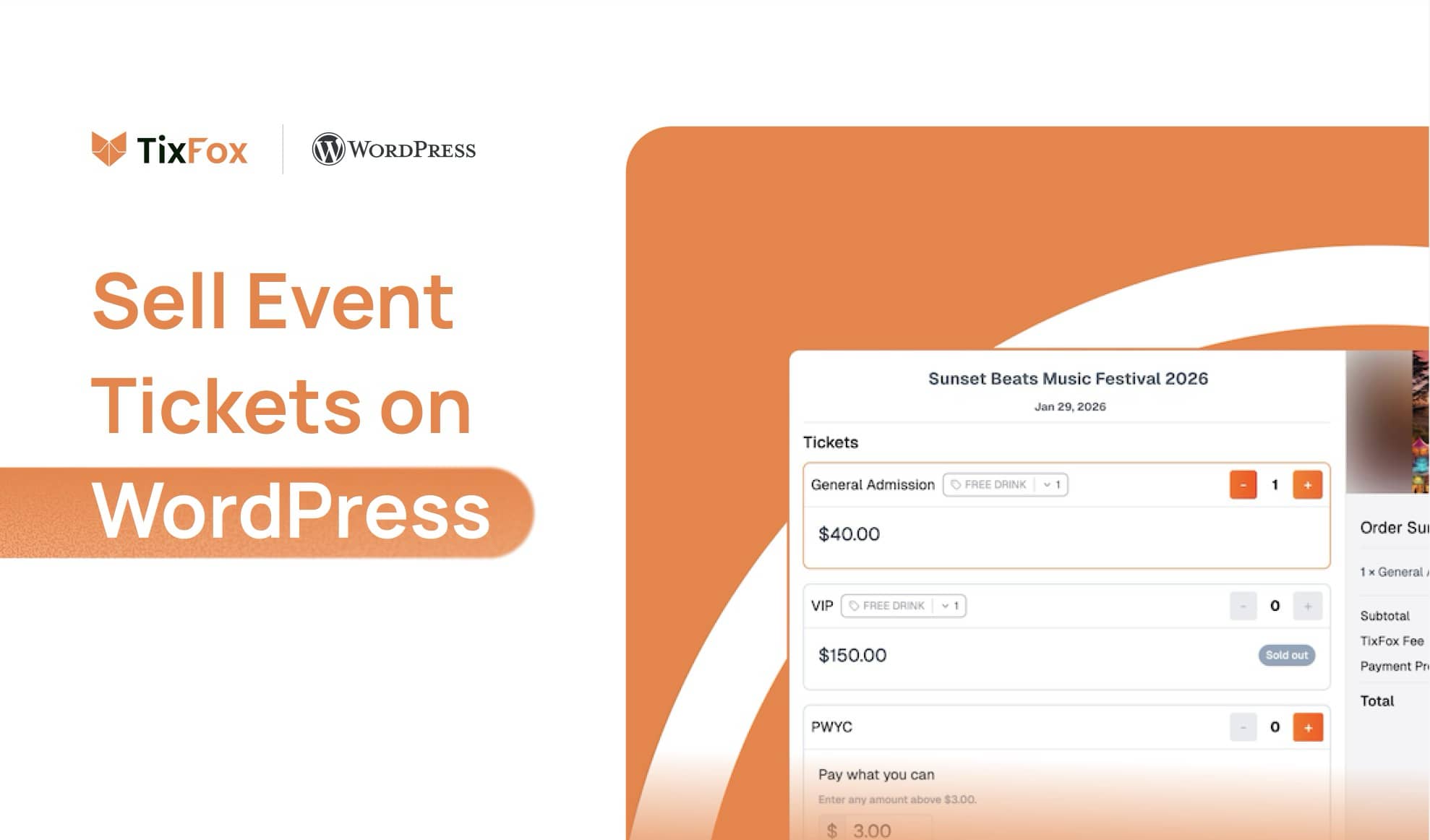
You already have a WordPress website. You have the event page, the description, the photos. Now you need to actually sell tickets — and suddenly what looked like a simple afternoon project has turned into a rabbit hole of plugins, WooCommerce setup guides, and payment gateway configuration pages you didn't know existed.
Here's the honest reality: WordPress is excellent at a lot of things. Native ticket sales isn't one of them. But with the right approach, you can go from zero to selling tickets on your existing WordPress site in under an hour — without touching a line of code or rebuilding anything from scratch.
This guide covers the main ways to sell event tickets on WordPress, what each one actually costs and requires, and how to pick the right one for how you work.
Why WordPress Doesn't Make Ticketing Easy Out of the Box
WordPress itself has no ticketing functionality. To sell tickets directly on your site, you need at least two things working together: an event management layer (to display events and manage ticket types) and a payment processing layer (to actually take money). Getting those two things to play nicely with each other — and with whatever theme and other plugins you're already running — is where things get complicated fast.
Most WordPress site owners discover this the hard way. You install a ticketing plugin, realise it only supports PayPal, install a second plugin to fix that, and two weeks later your checkout page breaks after a routine update. It's not hypothetical — plugin conflicts are one of the most common WordPress support issues for event organisers.
So before recommending anything, it's worth being clear about the two traditional routes, and one alternative that sidesteps the whole problem.
Option 1: The Events Calendar + WooCommerce
The Events Calendar is the most widely used event plugin in the WordPress ecosystem, installed on over 800,000 sites. The free version is genuinely good at displaying events, adding to-calendar links, and managing recurring listings. Ticketing, though, is a different story.
To sell tickets through The Events Calendar, you need their Event Tickets plugin (free) plus Event Tickets Plus ($99/year) to connect it to WooCommerce. You also need WooCommerce itself (free, but substantial) and a WooCommerce payment gateway — Stripe's official plugin is standard, processing at 2.9% + $0.30 per transaction.
What this gives you is a fully on-site ticketing experience. Customers never leave your WordPress site, everything is consistently branded, and you have direct control over the checkout flow. If you're already running WooCommerce for merchandise or other products, adding tickets to the same store makes real sense.
The honest downsides: this setup has real maintenance overhead. WooCommerce, The Events Calendar, Tickets Plus, and your payment gateway each release updates independently — any one of them can conflict with the others after an update. You'll also manage refunds, attendee records, and check-in scanning from within WordPress, which works, but adds to the learning curve.
Annual cost before payment processing: $99/year for Tickets Plus. On a 350-ticket event at $12 per ticket, Stripe processing alone runs about $228. The plugin licence adds roughly $8/month on top.
Best for: Site owners already running WooCommerce who want a fully on-site, highly customisable experience and have the technical confidence — or a developer — to manage the maintenance.
Option 2: WooCommerce + a Dedicated Ticketing Extension
The second route is to skip The Events Calendar entirely and treat tickets as a product type inside WooCommerce. WooCommerce Box Office from Automattic ($79/year) lets you create ticket products, generate unique QR codes per buyer, and collect attendee information — all within the WooCommerce framework.
This gives you slightly more flexibility on attendee form fields than the Events Calendar route, and removes one layer from the plugin stack. If your events are simple — one or two ticket types, straightforward checkout — it can be a leaner setup.
That said, WooCommerce Box Office's check-in experience is relatively basic. The QR scanning workflow for door staff is less polished than dedicated ticketing platforms, which matters on a busy event night when a queue is forming. And you're still running WooCommerce as the backbone, which brings all the same update management considerations.
Cost picture is similar: $79/year for the extension, plus Stripe processing. The same 350-ticket event at $12 works out to roughly $228 in processing plus ~$7/month in plugin cost.
Best for: Site owners already deep in the WooCommerce ecosystem who want to manage tickets alongside other products and don't need a sophisticated day-of check-in experience.
Option 3: The TixFox WordPress Plugin
This is the option most WordPress event organisers don't consider until they've already spent a weekend wrestling with one of the above. Instead of building ticketing infrastructure inside WordPress, you connect TixFox — a dedicated ticketing platform — to your existing site via its free WordPress plugin.
The plugin integrates natively with the WordPress block editor. Once you've connected your account, you get two blocks to choose from:
TixFox Event Embed — embeds your full event listing with ticket purchase form inline on any page or post via iframe. Attendees read your event details and complete the purchase without leaving your site.
TixFox Event Button — places a "Buy Tickets" button anywhere on your page. When a visitor clicks it, a purchase modal opens directly over your site — no redirect, no new tab. You control the button label, colour, size, border radius, and whether the cart icon appears, so it fits naturally into your existing design.
In both cases, the ticket transaction runs through TixFox's infrastructure. Your WordPress install doesn't touch payment processing, attendee records, or QR code generation. No WooCommerce required. No payment gateway to configure.
The fee structure is a flat $0.39 per ticket — no percentage cut, no monthly subscription, no setup cost. On top of that, Stripe's standard payment processing fee applies (2.9% + $0.30 per transaction), the same as you'd pay with WooCommerce. Payouts land directly in your connected Stripe account as tickets are sold — you manage your balance and payout schedule from your own Stripe dashboard, just as you would with any other Stripe income. On that same 350-ticket event at $12 per ticket, TixFox's platform fee is $136.50 total.
The full feature breakdown is here.

The tradeoff worth naming: your ticket and attendee data lives in TixFox's dashboard, not in WordPress. If you need tickets tightly integrated with a WooCommerce membership system, that's a real constraint. For most independent event organisers running 1–20 events per year, though, it isn't — and the reduction in setup time and maintenance is substantial.
Best for: WordPress site owners who want to sell tickets on their existing site without WooCommerce complexity, who want instant payouts, and who want a polished day-of scanning experience with zero ongoing maintenance.
Side-by-Side Comparison
Events Calendar + WooCommerce | WooCommerce Box Office | TixFox Plugin | |
|---|---|---|---|
Annual plugin/platform cost | $99/year | $79/year | $0 |
Per-ticket platform fee | Included in annual | Included in annual | $0.39 flat |
Payment processing | 2.9% + $0.30 (Stripe) | 2.9% + $0.30 (Stripe) | 2.9% + $0.30 (Stripe) |
WooCommerce required | Yes | Yes | No |
Plugin conflict risk | Medium–High | Medium | None |
Day-of scanning app | Basic | Limited | Free mobile app |
Block editor support | Yes | Yes | Native Gutenberg blocks |
Setup time (estimate) | 2–4 hours | 2–3 hours | 30–45 minutes |
Stays on your domain | Yes | Yes | Yes (embed / modal) |
Attendee data location | WordPress / WooCommerce | WordPress / WooCommerce | TixFox dashboard |
A Real Example: Westside Makers Market, Portland
The Westside Makers Market is a monthly indoor craft market in Portland, Oregon — 11 events per year, around 350 general admission tickets per event at $12 each, roughly 3,850 tickets annually.
For two years they ran The Events Calendar with Tickets Plus and WooCommerce. The setup worked, mostly, but plugin maintenance was a recurring headache. Every few months an update would break something in the checkout flow, and they'd lose a day diagnosing it. Their web person — a volunteer — eventually told them she didn't have the bandwidth to keep up with it.
They switched to the TixFox WordPress plugin in early 2024. Setup took about 40 minutes: installed the plugin, connected the API key, added the TixFox Event Button block to their event pages, and tweaked the button colour to match their site. That was it. They haven't had a single checkout issue since. Annual saving on plugin licences: $99. Across ~3,850 tickets, the flat $0.39 TixFox fee comes to $1,501 per year in platform costs — less than they were effectively paying once you factor in the maintenance time.
Their organiser's take: "I stopped dreading the WooCommerce update notifications."
Want to See TixFox in Action First?
Before committing to anything, it's worth seeing how TixFox actually works as a platform. The TixFox product demo walks you through the full experience — including how the ticket purchase flow looks for attendees — so you know what you're connecting to your site before you set up a single thing.
Watch the TixFox product demo →
How to Set Up TixFox on Your WordPress Site
Here's exactly what the process looks like.
Step 1: Create your free TixFox account. Go to tixfox.co/signup — no credit card required. Set up your organiser profile, connect your Stripe account for payouts, and add your logo.
Step 2: Build your event in TixFox. Add your event name, date, venue, description, and ticket types. You can create multiple tiers — general admission, VIP, early bird — each with their own price, quantity cap, and sale window. This takes about 10 minutes.
Step 3: Copy your API key. Inside your TixFox dashboard, go to account settings and copy your API key.
Step 4: Install the plugin on WordPress. In your WordPress dashboard go to Plugins → Add New Plugin, search for "TixFox", and install the TixFox – Sell Event Tickets plugin. Activate it, then go to Settings → TixFox and paste in your API key. The plugin verifies the connection and pulls your events in automatically.
Step 5: Add a TixFox block to your event page. Open your event page in the block editor. Click + to add a block and search "TixFox." You'll see both block options — choose the one that fits how you want tickets to appear:
TixFox Event Embed for an inline event listing with the checkout form embedded on the page.
TixFox Event Button for a clean Buy Tickets button that opens a modal. Use the block settings panel on the right to customise the button colour, label, size, and icon.
Both blocks show a dropdown of your live and upcoming TixFox events — just select the right one.
Step 6: Preview, publish, and share. Preview the page on desktop and mobile to confirm everything looks right, then publish. TixFox also gives you a standalone event URL from your dashboard — handy for sharing directly on social media or in email campaigns.
Need help at any step? The TixFox help centre has the full plugin setup guide with screenshots.
Frequently Asked Questions
Does the TixFox plugin work with any WordPress theme? Yes. Both blocks work with any WordPress theme, including page builders like Elementor, Divi, and Beaver Builder. The Event Button block uses its own style settings panel — you set the colours and sizing directly in the block, so it fits your design without touching theme CSS.
Can I sell event tickets on WordPress without WooCommerce? Yes — and for most event organisers, that's the better approach. WooCommerce is a full e-commerce platform built for product catalogues. Using it just for tickets means taking on a lot of infrastructure you don't need. TixFox gives you complete ticket sales on WordPress with no WooCommerce dependency.
What does checkout look like for my attendees? With the TixFox Event Button block, attendees click the button and a purchase modal opens directly on your page — they never leave your site or get redirected elsewhere. With the Event Embed block, the full event details and checkout form sit inline on the page. Your site's header, footer, and navigation stay visible throughout.
How quickly do I get paid? TixFox uses Stripe Connect, which means ticket revenue goes directly into your own connected Stripe account — minus the $0.39 TixFox fee and Stripe's processing fee — as each sale completes. You're not waiting for TixFox to transfer funds to you. The money is already yours in Stripe, and you manage your own payout schedule to your bank account from your Stripe dashboard, exactly as you would with any other Stripe income.
Can I scan tickets at the door? Yes. TixFox includes a free iOS and Android check-in app. Staff scan QR codes directly from the app, which gives a clear green or red result and blocks duplicate scans. Multiple staff can scan simultaneously at different entry points.
Can I use The Events Calendar for my calendar display and TixFox for sales? Yes, and it's a popular setup. Use The Events Calendar (free version) for your event listings and calendar, and drop a TixFox block onto each individual event page for the actual ticket purchase. You get a polished event calendar without the Tickets Plus licence or WooCommerce overhead.
Further Reading
Comparing platforms beyond WordPress-specific options? The TixFox guide to the top ticketing software in 2026 covers fees, features, and which type of organiser each platform suits best — worth a read before you commit to anything.
Which Option Is Right for You?
If you're already running WooCommerce and have the technical confidence to manage a multi-plugin stack, The Events Calendar setup gives you the most on-site control. If your goal is to start selling tickets on your WordPress site as quickly as possible — with no ongoing maintenance and instant access to your revenue — the TixFox plugin is the faster, lower-maintenance path for most independent event organisers.
The setup difference is real. The maintenance difference is real. And at a flat $0.39 per ticket with no monthly fees, the cost case is straightforward.
Install the TixFox WordPress plugin free →
Or start from the TixFox side and connect WordPress once your event is ready: create your free account at tixfox.co/signup
Keep more of every ticket sale.
- 39¢ per ticket, $0 on free events
- No monthly fee, no contract
- Get paid as each sale comes in