How to hide an event or make it private
Last updated at: Oct 20, 2026There are three ways to keep an event private in TixFox. Use Hide on Profile to keep it off your public organizer page, a Pass code to lock the page for everyone without the code, or access codes to reveal hidden tickets to certain people only. To take an event offline completely, switch it back to a draft.
Which option to use
| You want to | Use |
|---|---|
| Share the event only by link, not on your profile | Hide on Profile |
| Let only people with a password see or buy | Pass code |
| Sell a secret ticket, like press or VIP, next to public tickets | Hidden ticket plus an access code |
| Stop all sales and take the page down | Draft Event |
Hide an event from your profile
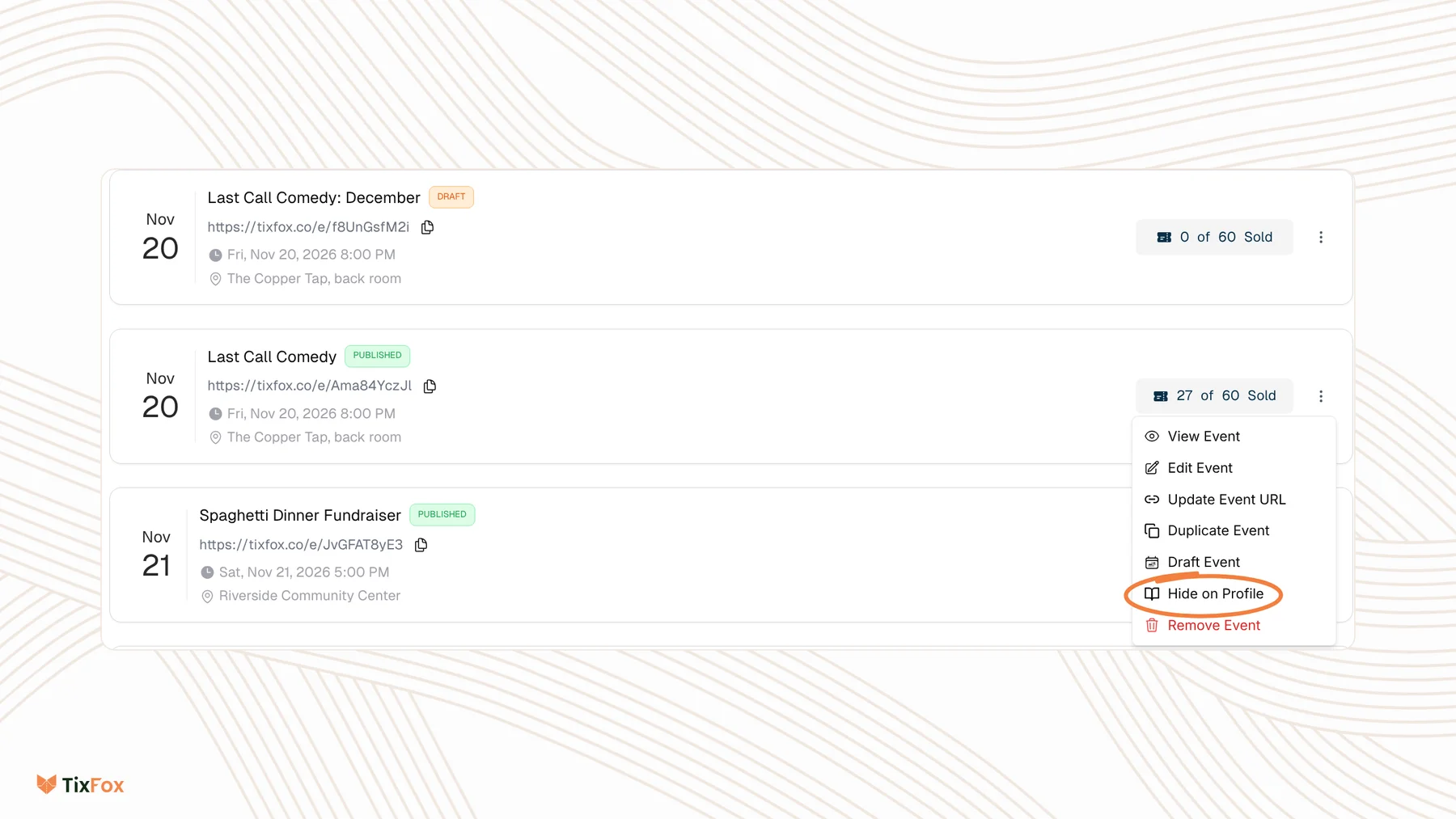
- Go to Events and open the menu on the event.
- Choose Hide on Profile.
- Confirm that you want to hide the event from your event organizer profile page.
The event no longer shows on your organizer profile, but the event itself stays published, so people you send the link to can still buy tickets. To list it again, choose Show on Profile in the same menu.
Lock the event with a pass code
- Open your event and go to Checkout Settings.
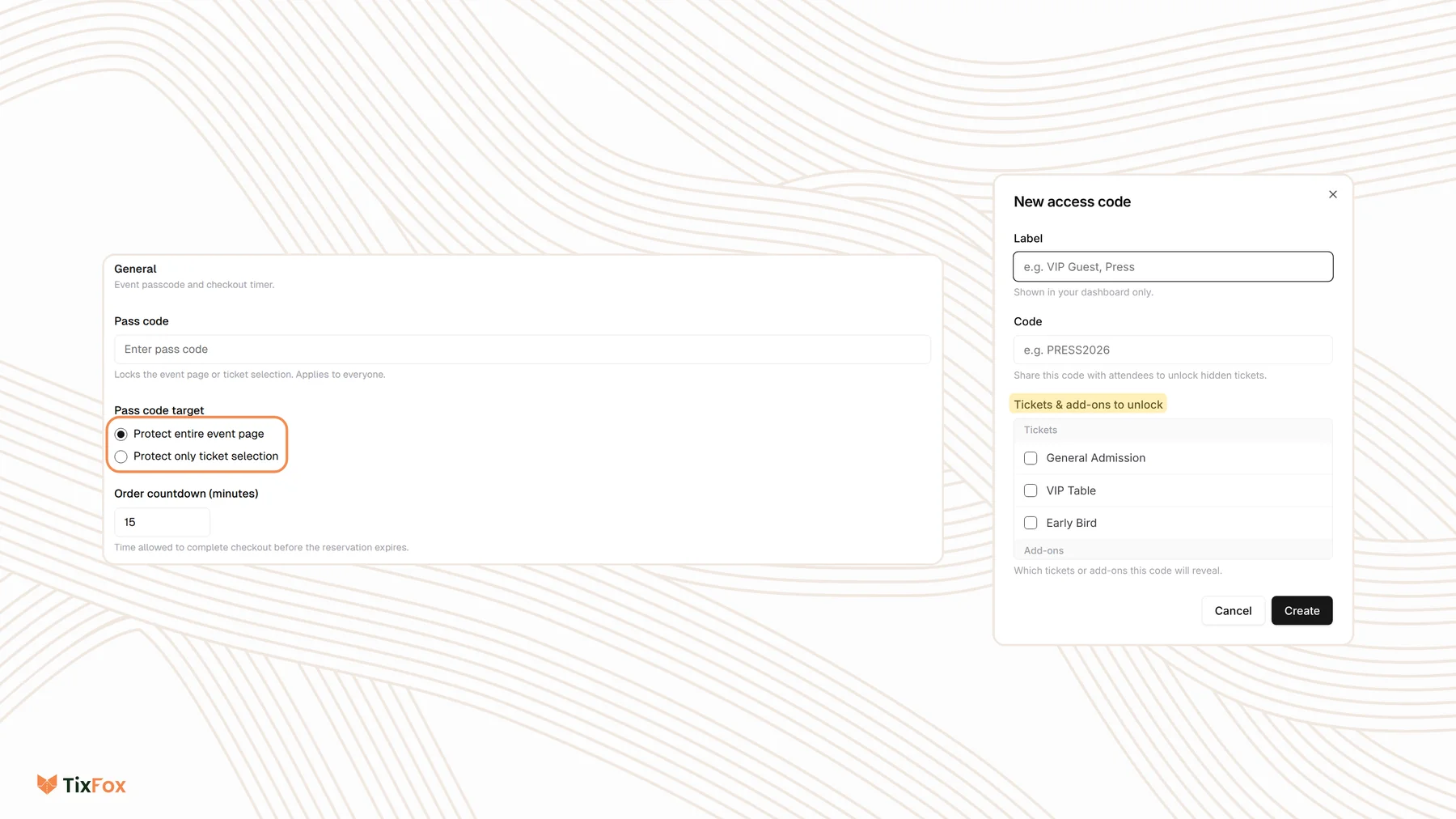
- Choose Access Codes, then the General tab.
- Type a Pass code.
- Under Pass code target, choose Protect entire event page, or Protect only ticket selection to show the event details but lock the tickets.
- Click Save.
The pass code applies to everyone, so share it with your guests along with the link. See also Lock Your TixFox Event with an Access Code.
Sell hidden tickets with an access code
To sell a ticket that only some people can see, hide the ticket and give those people a code:
- Go to Ticket Types, edit the ticket, open Show Advanced Settings and turn on Hide Ticket.
- Go to Checkout Settings, choose Access Codes, then the Specific Ticket tab, and click New code.
- Add a Label that only you see, like "Press", and the Code people will type.
- Under Tickets & add-ons to unlock, tick the hidden tickets this code reveals.
- Click Create.
Everyone else sees your public tickets as usual. People with the code also see the hidden ones.
Common questions
Can people still open a hidden event with the link?
Yes. Hide on Profile only removes the event from your organizer profile. To stop people buying, add a pass code or switch the event to a draft.
How do I take an event offline?
Open the menu on the event and choose Draft Event. While it's a draft, buyers can't see the page. Choose Publish Event to bring it back.
What's the difference between a pass code and an access code?
A pass code locks the whole event page, or all of its tickets, for everyone. An access code reveals specific hidden tickets or add-ons to the people who have it.
Can I give a discount to private guests instead?
Yes. Create a discount code and share it only with them. See How to create a discount code.