How to set ticket sale dates and run early bird pricing
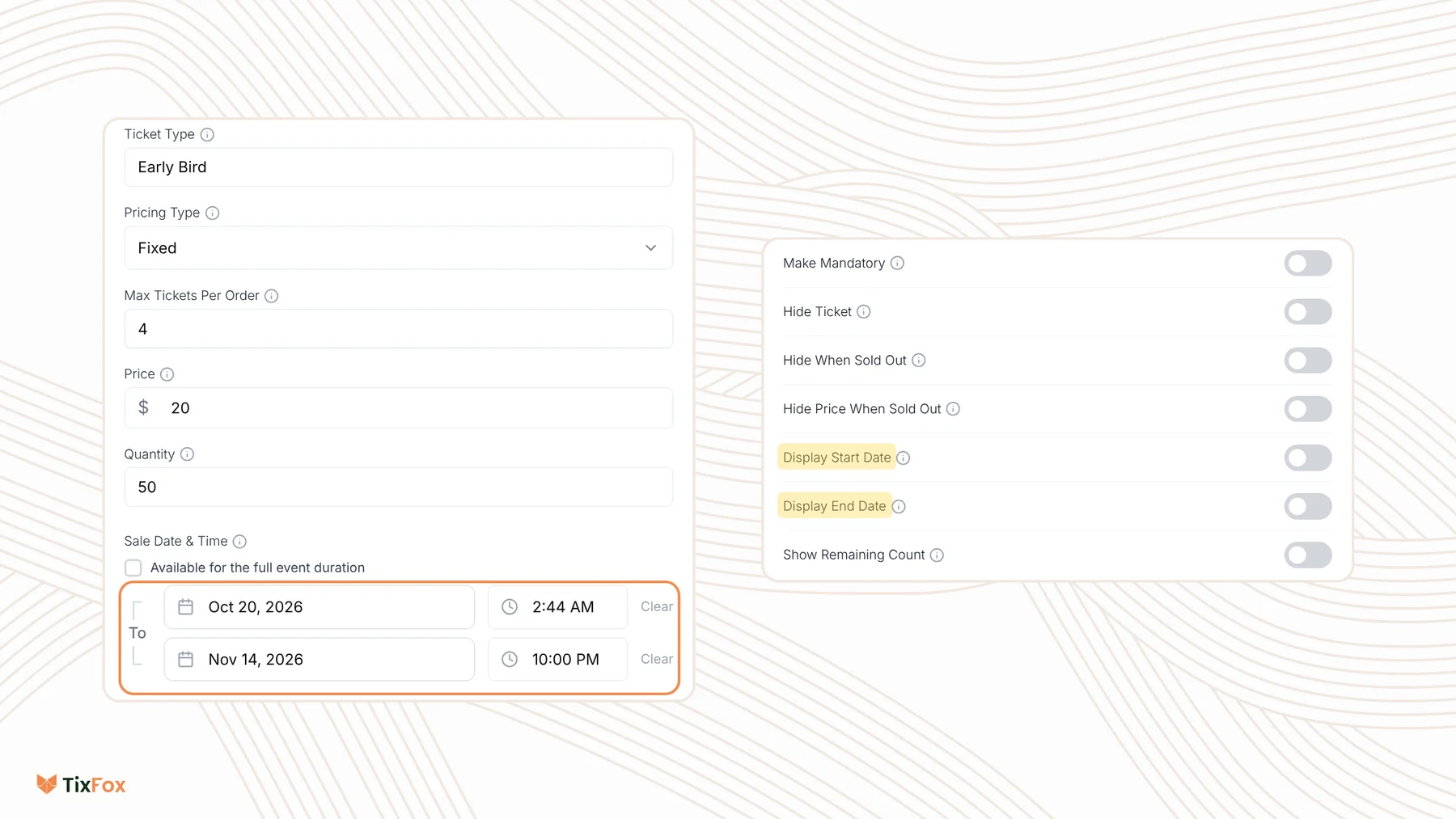
Last updated at: Oct 20, 2026Each ticket type can have its own sale window. Open the ticket type, untick Available for the full event duration under Sale Date & Time, and set when sales start and end. Buyers can only buy that ticket inside the window, which is how you run early bird pricing.
Set a sale window for a ticket
- Open your event and go to Ticket Types.
- Click Create Ticket, or open the menu next to a ticket and choose Edit Ticket.
- Under Sale Date & Time, untick Available for the full event duration.
- Set the start date and time on the first row, and the end date and time on the second. Click Clear to empty a row.
- Save the ticket type.
Sales have to start and end before your event ends, and the end has to be after the start.
What buyers see
- Before the window opens, the ticket shows Not started.
- After it closes, it shows Sales Ended.
- If it sells out first, it shows Sold Out.
To show the dates on your event page, open Show Advanced Settings and turn on Display Start Date or Display End Date. Buyers then see the Sale Start Date or Sale End Date under the ticket.
Run early bird tickets
- Create an Early Bird ticket with a lower price.
- Give it a Quantity, like the first 50 tickets, and an end date.
- Create your regular ticket, like General Admission. Leave it on sale the whole time, or set its start to when the early bird ends.
- Optional: turn on Display End Date on the early bird so people see the deadline, and Show Remaining Count to show "Only 8 left!" as it sells.
Early bird then ends on whichever comes first: the end date, or the last ticket selling.
Common questions
Can I change the dates after tickets go on sale?
Yes. Open the menu next to the ticket, choose Edit Ticket, change the dates and save.
How do I stop my ticket types from overselling the room?
On Ticket Types, open Actions and choose Shared Capacity, so your early bird and regular tickets share one total.
Can I use a discount code instead of an early bird ticket?
Yes. A discount code can also have start and end dates, and buyers enter it at checkout. See How to create a discount code.
Can one date of a recurring event sell differently?
Yes. Use an override to change the price, quantity or status for one date. See How to create a recurring event.