How to share your event link, QR code or website embed
Last updated at: Oct 20, 2026Every TixFox event has its own page where people buy tickets. To share it, open your event and look under Event Page Link on the Event Summary tab. Use Copy Link for the link, QR Code for posters, Share for social media, or Embed to sell tickets on your own website.
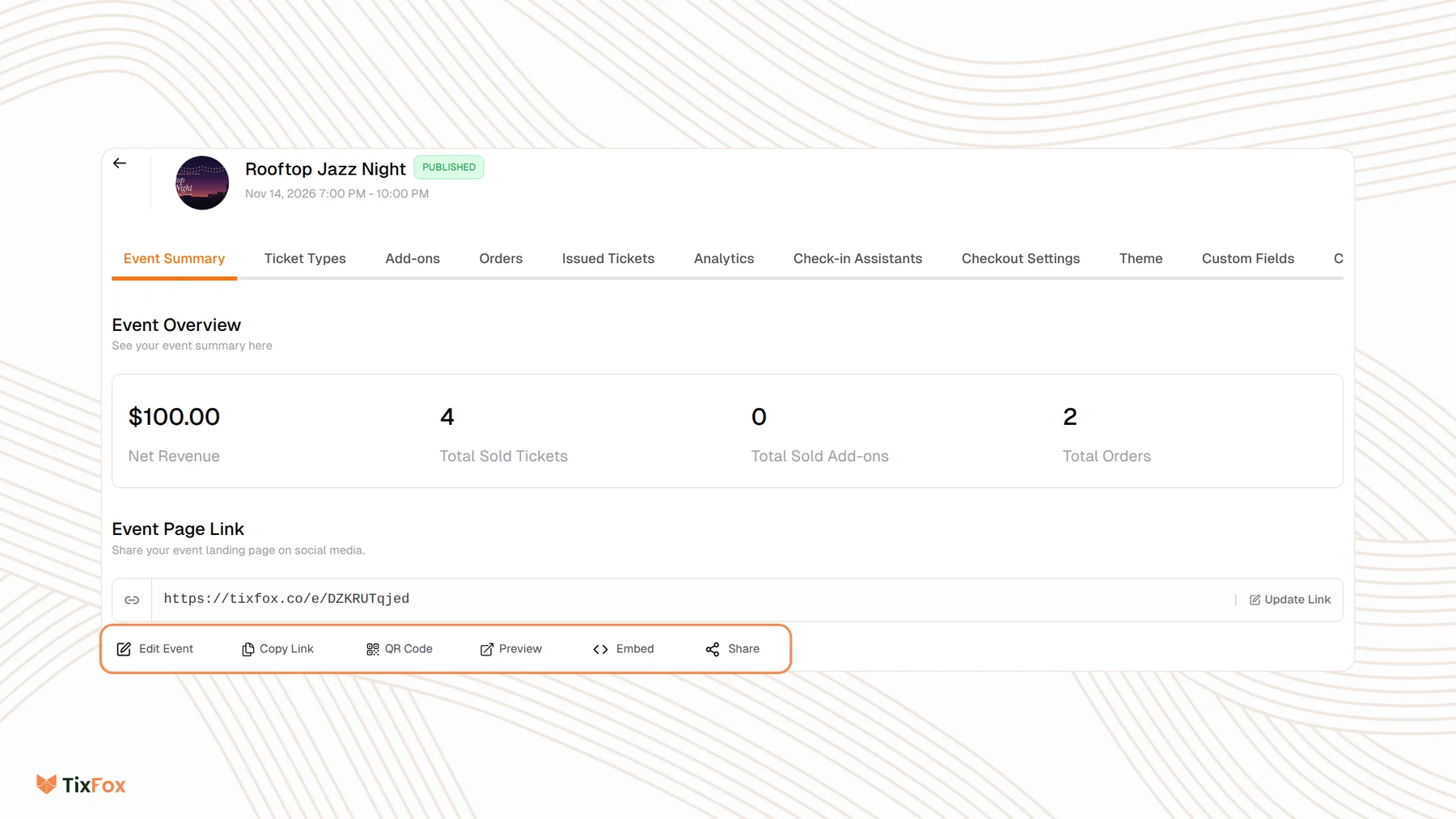
Copy your event link
Click Copy Link and paste it anywhere: a text, an email, your Instagram bio or a group chat. Your link looks like tixfox.co/e/ followed by a short code.
To make it easier to read or remember, click Update Link, type a new ending under New URL and click Update URL. Use 5 to 100 lowercase letters, numbers and hyphens, like my-event. The old link stops working straight away, so change it before you print or post anything.
Download a QR code
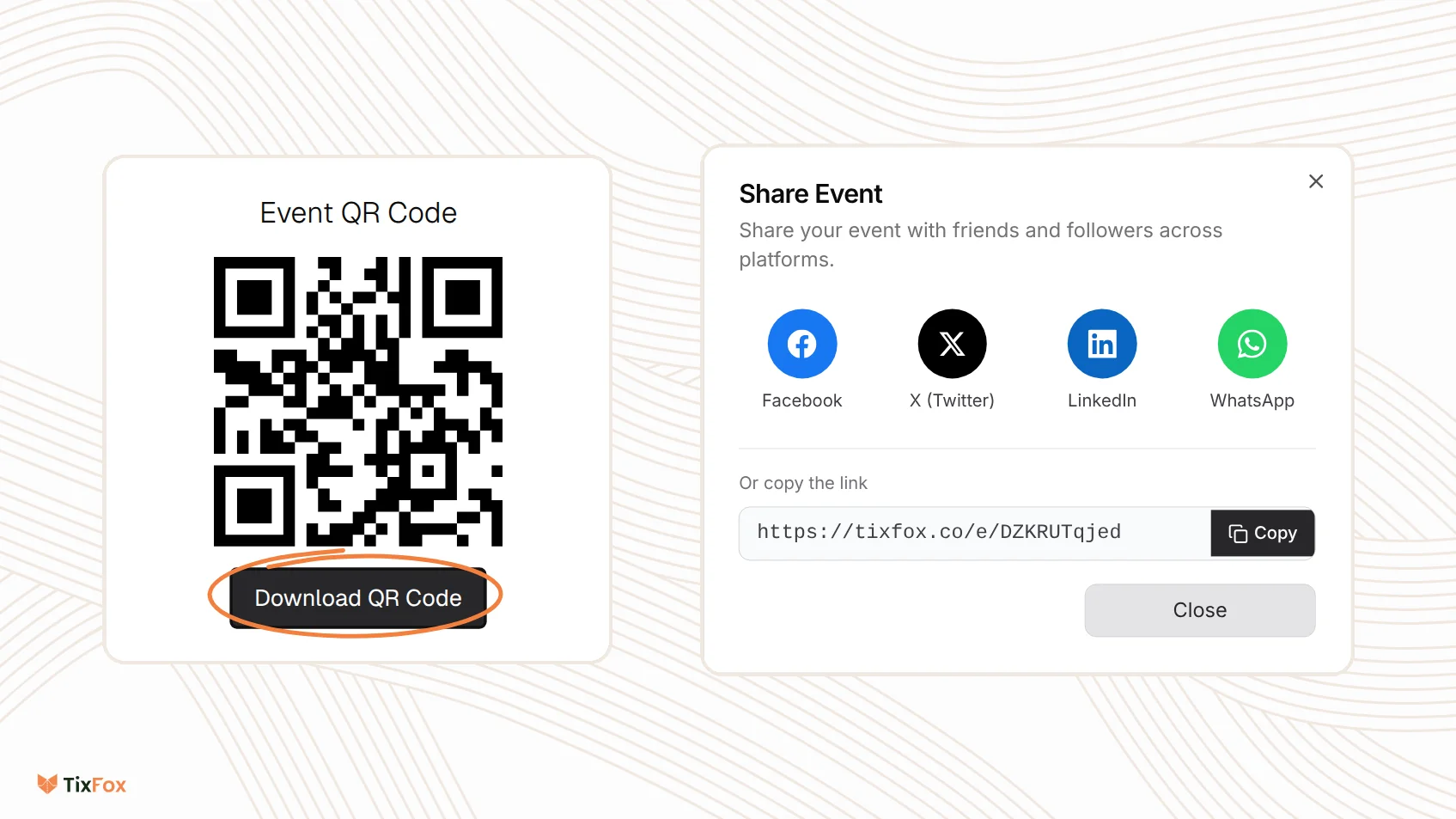
Click QR Code, then Download QR Code. You get an image file you can add to posters, flyers, table cards or slides. When people scan it with their phone camera, it opens your event page.
Share on social media
Click Share and choose Facebook, X (Twitter), LinkedIn or WhatsApp. Each one opens with your event link ready to post. You can also copy the link from the same window.
Sell tickets on your own website
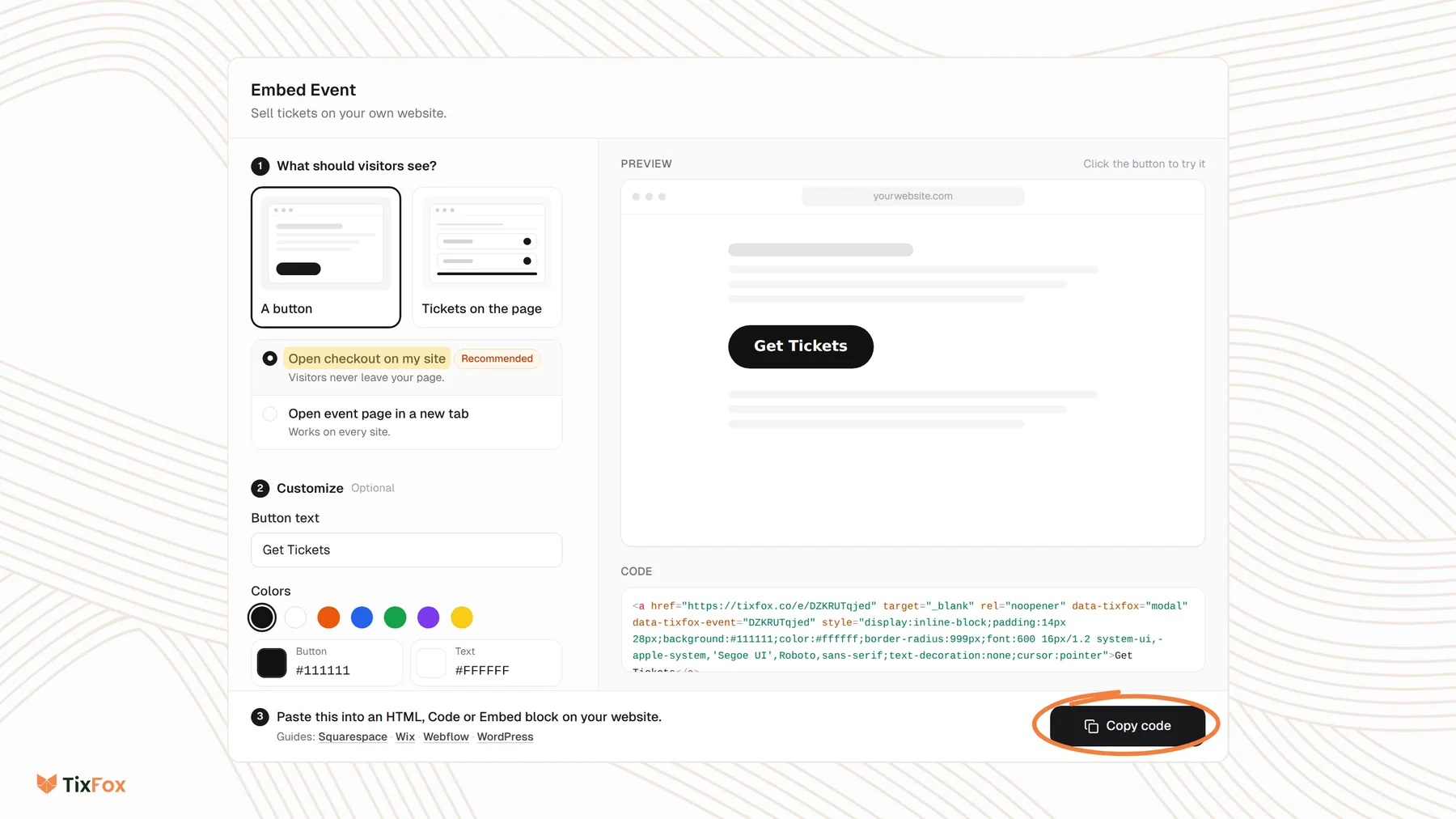
Click Embed and follow the three steps in the window:
- What should visitors see? Choose A button or Tickets on the page. For a button, choose Open checkout on my site, so visitors never leave your page, or Open event page in a new tab, which works on every site. For tickets on the page, choose Ticket widget (recommended), which resizes to fit your tickets, or Basic iFrame for sites that block scripts.
- Optional: for a button, change the Button text, Colors, Corners and Size, or make it Full width. For tickets on the page, set the Size or keep Auto height. The Preview shows how it will look.
- Click Copy code and paste it into an HTML, Code or Embed block on your website.
Where to paste the code on popular website builders:
- Squarespace: edit the page, add a Code block, paste and save. Scripts don't run in the editor, so check the live page.
- Wix: go to Add Elements, then Embed Code, then Embed HTML. Choose Enter Code, paste, click Update, resize the box and publish. Wix keeps embeds in a small box, so use Open event page in a new tab there.
- Webflow: add a Code Embed, paste, click Save & Close and publish. Check the published site, because scripts don't run in the Designer.
- WordPress: add a Custom HTML block, paste and update. WordPress.com needs a plan that allows custom code.
For full walkthroughs, see how to sell tickets on Squarespace, Wix or Canva.
Common questions
Can people buy tickets before I publish?
No. While your event is a draft, only you can see it with Preview, and the embed shows a reminder to publish first. Click Publish now when you're ready. See How to create your first event.
I changed my link. Do I need a new QR code?
Yes. The old link stops working, so download the QR code again and replace any you've already shared or printed.
Can I see which ads lead to ticket sales?
Yes. Connect your Meta Pixel, Google Analytics 4, Google Tag Manager, Reddit or X pixel, and purchases are reported back to them. See How to set up tracking pixels.
Will the button match my website?
Pick a colour preset or enter your own Button and Text colours, then choose Square, Rounded or Pill corners and a size of S, M or L.