How to invite your team and choose their roles
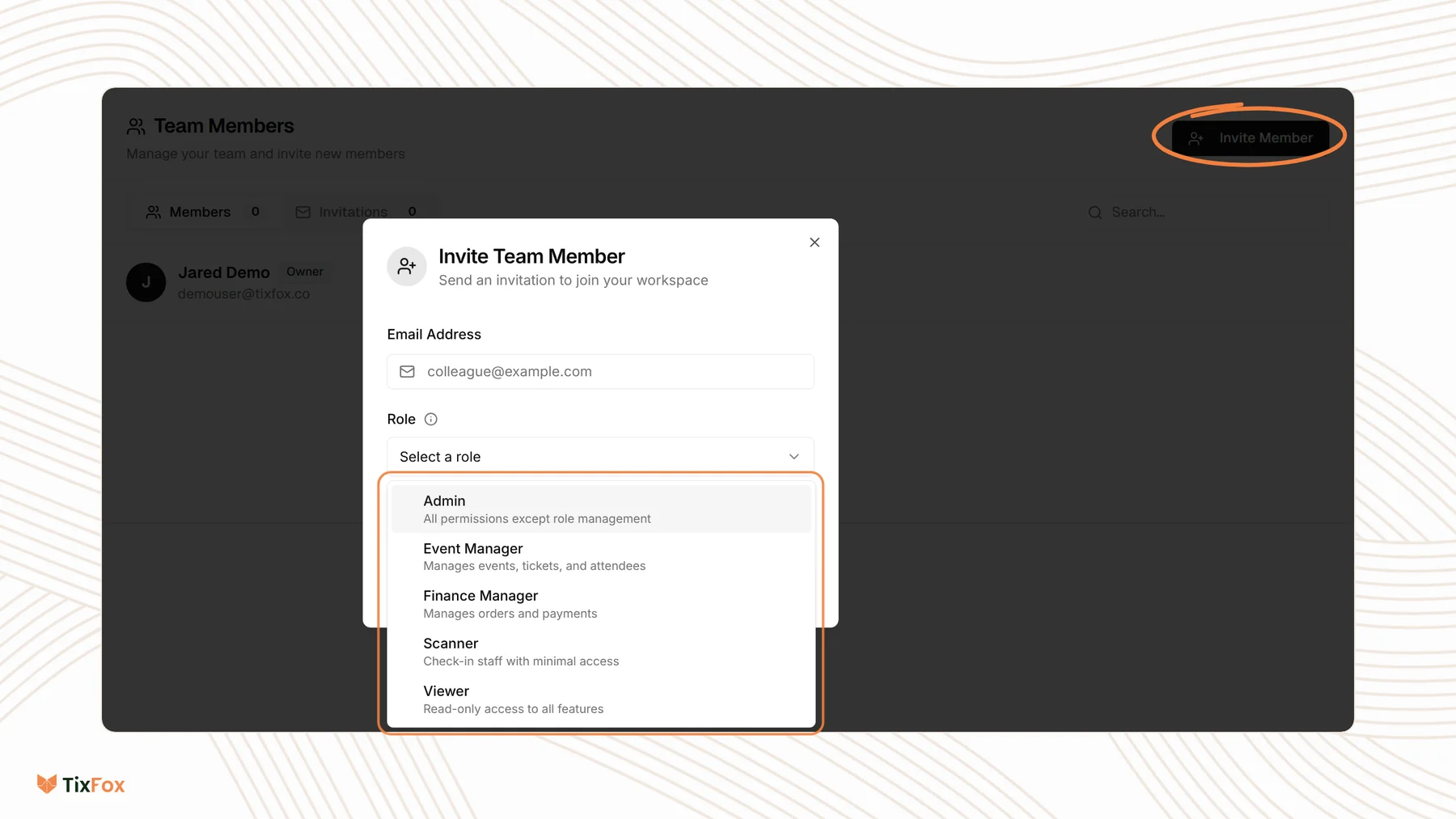
Last updated at: Oct 20, 2026You can give your staff, partners or volunteers their own login, each with the access they need. Go to Settings, open Teams, click Invite Member, enter their email, choose a Role and click Send Invitation.
Invite a team member
- Click Settings in the sidebar and open the Teams tab.
- Click Invite Member.
- Type their Email Address.
- Choose a Role.
- Click Send Invitation.
They get an email invitation, which is valid for 14 days. Until they accept, it's listed under Invitations. Once they join, they move to Members.
Which role to choose
| Role | What they can do | Good for |
|---|---|---|
| Admin | All permissions except role management | A business partner or co-organizer |
| Event Manager | Manages events, tickets and attendees | Someone who sets up and runs your events |
| Finance Manager | Manages orders and payments | A bookkeeper or treasurer |
| Scanner | Check-in staff with minimal access | Door staff across your events |
| Viewer | Read-only access to all features | A sponsor, board member or anyone who just needs to look |
Pick the role with the least access that still lets the person do their job.
Team members or check-in assistants?
To give someone scanning access for just one event, you don't need to add them to your team. Use the event's Check-in Assistants tab instead. See How to add check-in assistants. If they're already on your team, choose Add Existing there to add them to the event.
Common questions
Who is the account owner?
The person who created the account is shown as Owner on the Teams tab. Admins can do everything except manage roles.
My teammate didn't get the invitation. What now?
Check the email address under Invitations and ask them to look in their spam folder. Invitations expire after 14 days, so send a new one if it's older.
Can I let a bookkeeper see sales without changing events?
Yes. Give them the Finance Manager role to manage orders and payments, or Viewer for read-only access.
Does adding team members cost anything?
No. TixFox only charges a fee on paid tickets.