How to read your event analytics
Last updated at: Oct 20, 2026Each event has its own analytics. Open the event and go to the Analytics tab, or click Analytics in the sidebar and choose the event. You'll see how many people visited the page, how many bought, how much you made, and where your buyers came from.
The totals
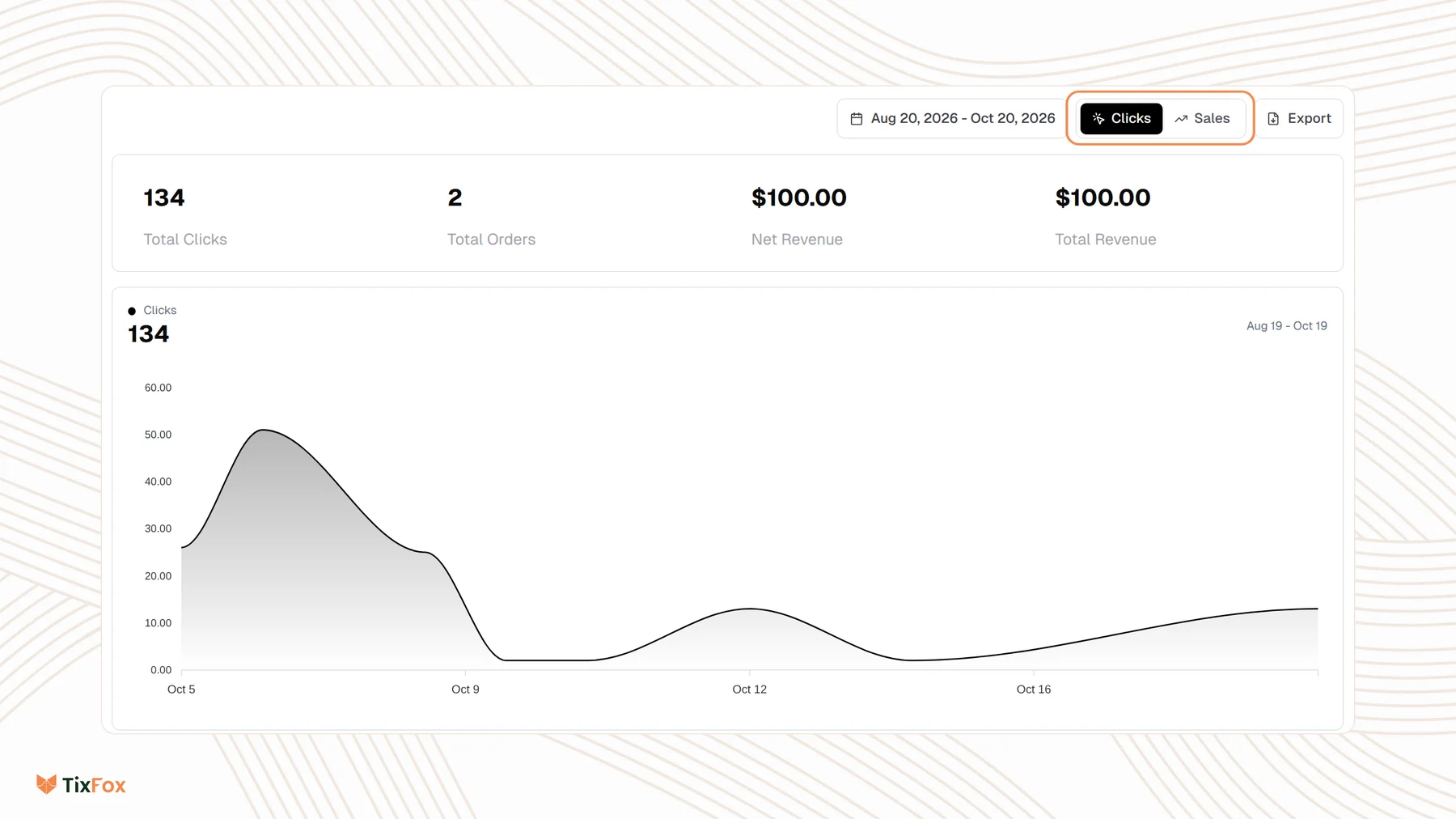
At the top you'll find Total Clicks (visits to your event page), Total Orders, Net Revenue and Total Revenue for the dates you've picked.
- Click the date range to change it, or pick a preset like Last 7 days, Last 30 days, Month to Date or Year to Date.
- Switch between Clicks and Sales to chart visits or revenue over time.
Where your buyers come from
Below the chart, three boxes break the numbers down. Each can show clicks or revenue.
- Referrers: the sites people came from, like Instagram, your own website or Direct (typed in or no referrer). Click View all for the full list.
- UTM Parameters: results for tracked links, split by Source, Medium, Campaign, Term and Content. See How to track ticket sales with UTM links.
- Countries, Cities and Regions: where visitors and buyers are.
- Devices, Browsers and OS: phone or computer, and which browser and system they use.
Ways to use it
- Lots of clicks, few orders? People are interested but not buying. Check your price, your event description and how easy the tickets are to find on the page.
- Most visitors on mobile? Preview your event page on a phone and keep the description short and clear.
- One referrer bringing most sales? Put more of your promotion there.
Common questions
Where do I see ticket counts per ticket type?
On the Ticket Types tab, each ticket shows how many are Sold and Remaining. The Event Summary tab shows totals for the whole event.
Can I see analytics for all my events?
Click Analytics in the sidebar and choose each event from the list at the top.
Can I send sales data to Google Analytics or Meta?
Yes, with tracking pixels. See How to set up tracking pixels.
Can I download my buyers' details?
Yes. See How to export your attendee list and orders to CSV.