Automated reminder emails and how to customize the confirmation email
Last updated at: Oct 20, 2026TixFox sends reminder emails for you. Every ticket buyer gets one email 7 days before your event and another 24 hours before. There's nothing to write or schedule. To change the email buyers get right after they buy, go to your event's Communication tab.
How automated reminders work
- When: one email 7 days before the event and one 24 hours before.
- What's in them: your event name, date, time and venue, plus a link to the buyer's ticket.
- Who gets them: every buyer, for paid, free and pay-what-you-can tickets.
- Setup: none. Reminders are on as soon as your event is live.
Reminders help cut no-shows, because people get a nudge when they're planning their week and again the day before.
Customize the order confirmation email
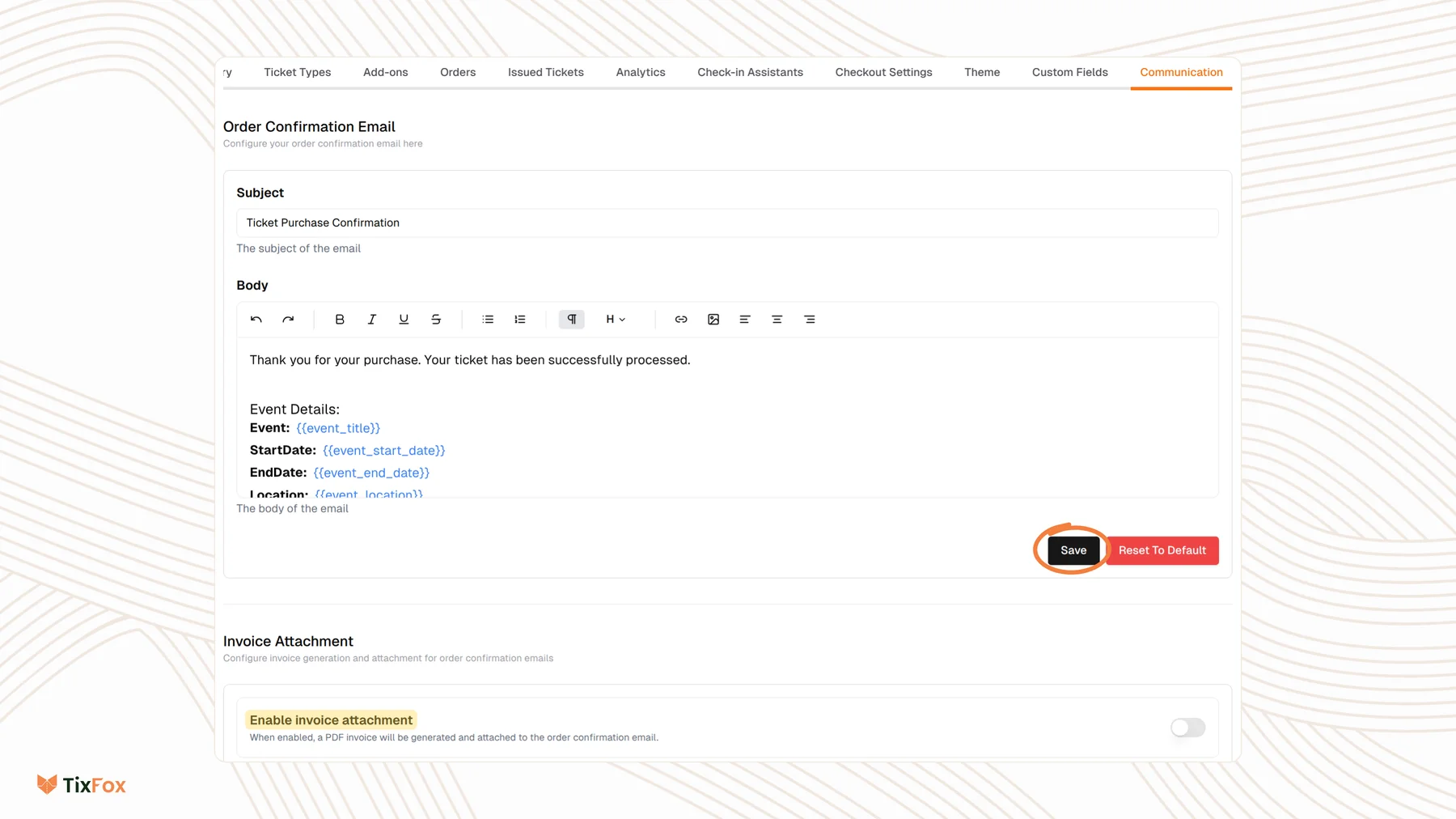
The order confirmation email goes out as soon as someone buys. To change it:
- Open your event and go to the Communication tab.
- Under Order Confirmation Email, edit the Subject.
- Edit the Body. You can add text, links, images and formatting.
- Click Save.
The body uses placeholders that TixFox fills in for each order, like {{event_title}}, {{event_start_date}}, {{event_end_date}}, {{event_location}}, {{order_summary}} and {{custom_deliverable_message}}. Keep the ones you need. To start over, click Reset To Default.
Attach a PDF invoice
Under Invoice Attachment, turn on Enable invoice attachment. A PDF invoice is then created and attached to each order confirmation email. This helps buyers who need a receipt for work or for their records.
Common questions
Do I need to write the reminder emails?
No. TixFox writes and sends both reminders with your event's details.
Do free events get reminders?
Yes. Every buyer gets both reminders, whether their ticket was paid, free or pay what you can.
Can I add a message for one ticket type only?
Yes. In the ticket type, open Show Advanced Settings and fill in Custom Deliverable Message. It's sent to buyers of that ticket, and it appears wherever {{custom_deliverable_message}} is in your confirmation email.
A buyer lost their confirmation email. Can I send it again?
Yes. Open their order and choose Resend Confirmation. See How to resend tickets or change attendee details.