How to accept donations at checkout
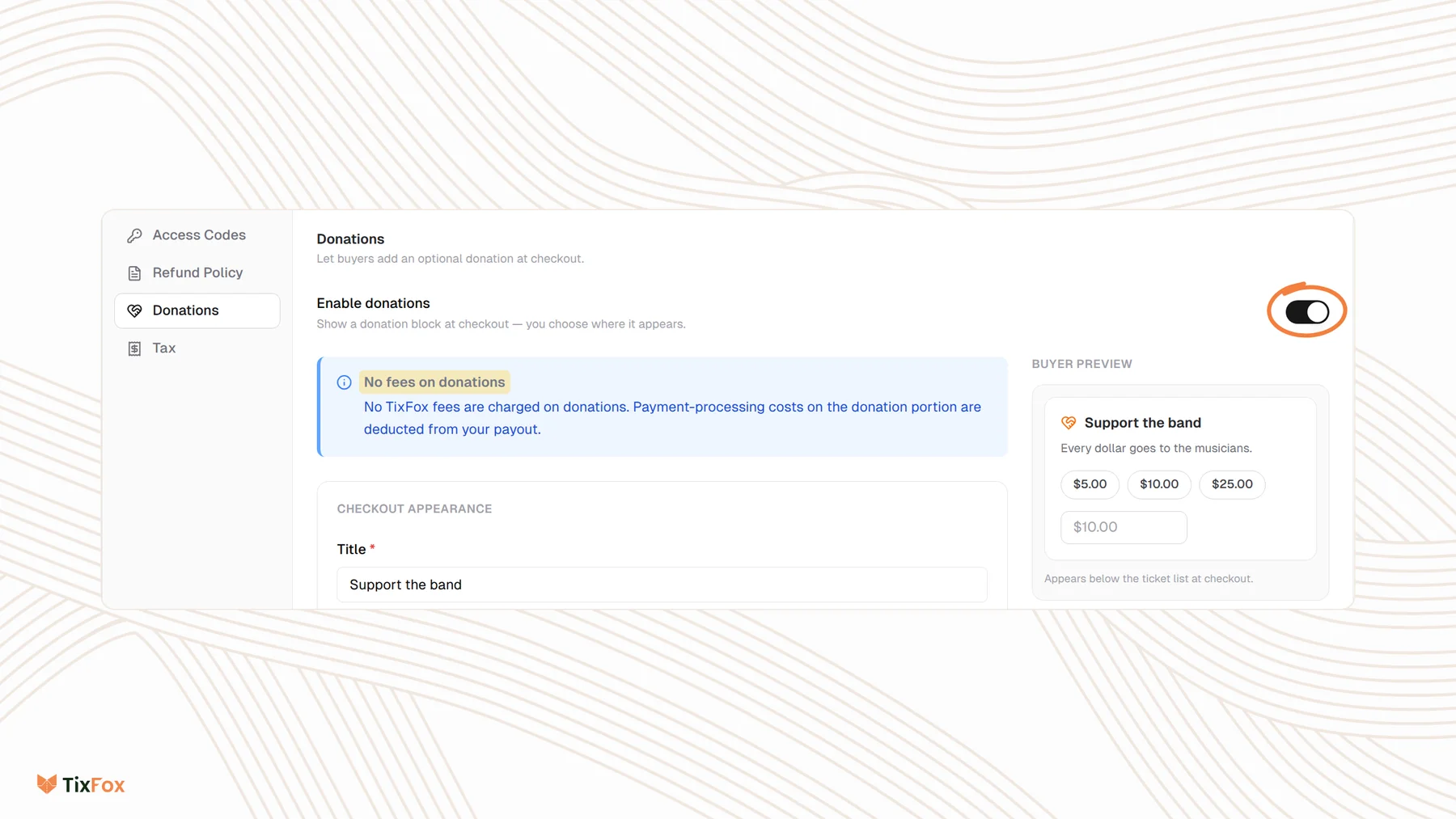
Last updated at: Oct 20, 2026You can let buyers add a donation at checkout, and even let supporters donate without buying a ticket. Open your event, go to Checkout Settings, choose Donations, turn on Enable donations, fill in the details and click Save. TixFox charges no fees on donations.
Turn on donations
- Open your event and go to the Checkout Settings tab.
- Choose Donations on the left.
- Turn on Enable donations.
- Give the donation block a Title, like "Support the band", and an optional Description saying what the money is for.
- Choose the options below, then click Save.
The Buyer Preview on the right shows the block as buyers will see it.
Choose how donations work
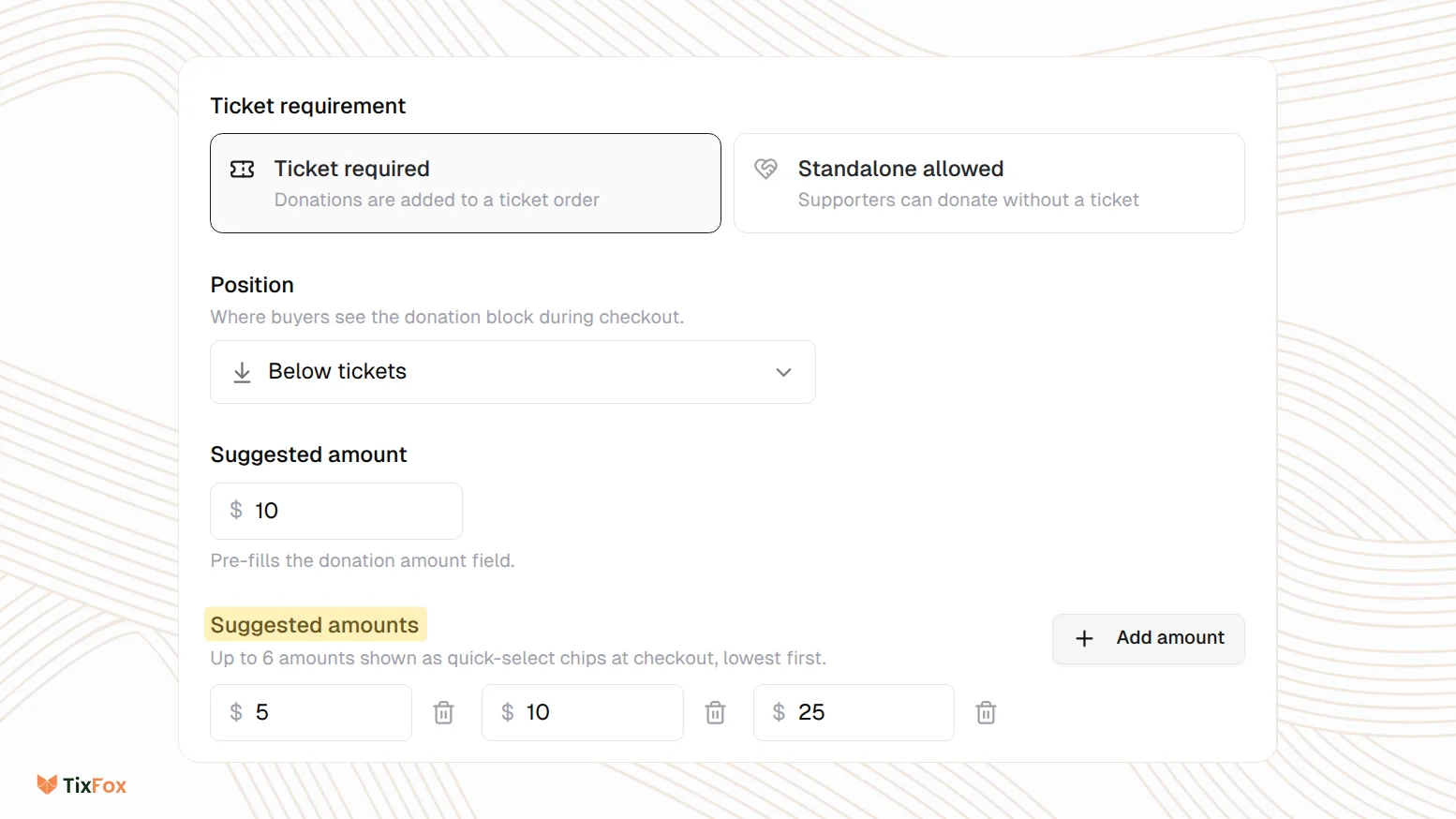
- Ticket requirement: choose Ticket required to add donations to ticket orders, or Standalone allowed so supporters can donate without a ticket.
- Position: show the block Above tickets, Below tickets, at the Top of order form before the buyer's details, or at the Bottom of order form just before payment.
- Suggested amount: the amount that's filled in for the buyer to start with.
- Suggested amounts: click Add amount to add up to 6 quick-pick buttons, shown lowest first.
- Thank-you message: shown on the order confirmation page and in the order email when someone donates.
Fees on donations
TixFox charges no fees on donations. The card processing cost on the donation part of an order is taken from your payout, so the donor's full amount reaches your account minus processing only.
Common questions
Can people donate without buying a ticket?
Yes. Under Ticket requirement, choose Standalone allowed.
What happens to a donation if I refund the order?
When you refund an order with a donation, TixFox asks whether to refund everything including the donation, or refund the tickets only and keep the donation. See How to refund a ticket order.
Can I turn donations off later?
Yes. Turn off Enable donations and click Save.
Is this the same as pay what you can?
No. A donation is an extra amount on top of the order. With pay what you can, buyers choose the price of the ticket itself. See How to sell pay-what-you-can tickets.